The Truth About Thermal Camera Resolution (32x24 vs. 320x240)
Update on Nov. 3, 2025, 8:19 a.m.
When you start shopping for a handheld thermal camera, it feels like you’re looking for a superpower: the ability to see the invisible world of heat. You want to find hidden drafts, spot overheating wires, or check your HVAC system.
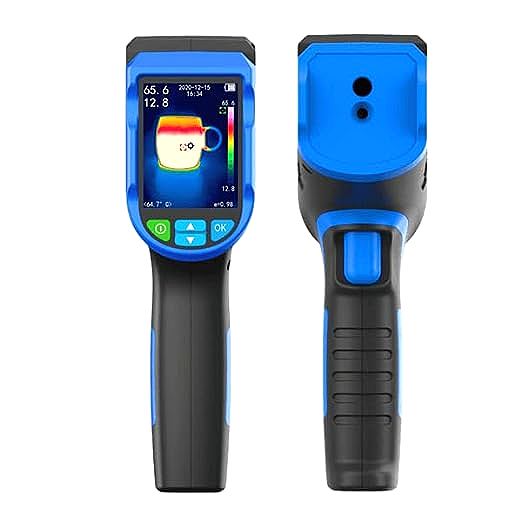
Then you see it: a pocket-sized imager like the Luqeeg Handheld Thermal Camera that claims “320x240 IR Resolution” for under $70. You also see professional cameras from other brands that cost $700 and seem to have the same resolution.
What’s the catch?
Welcome to the single most confusing and misleading specification in the world of entry-level thermal imaging. As your guide, let’s decode what’s really going on, because that “320x240” number is probably not what you think it is.
Lesson 1: The Myth of “Resolution” (Sensor vs. Screen)
This is the most important lesson you will learn. A thermal camera has two different resolutions, and many budget-friendly models only advertise the bigger, more impressive number.
- Screen Resolution (The TV): This is the quality of the small LCD screen you look at. For the Luqeeg, this is 320x240 pixels. This means the display is sharp, clear, and can show smooth text.
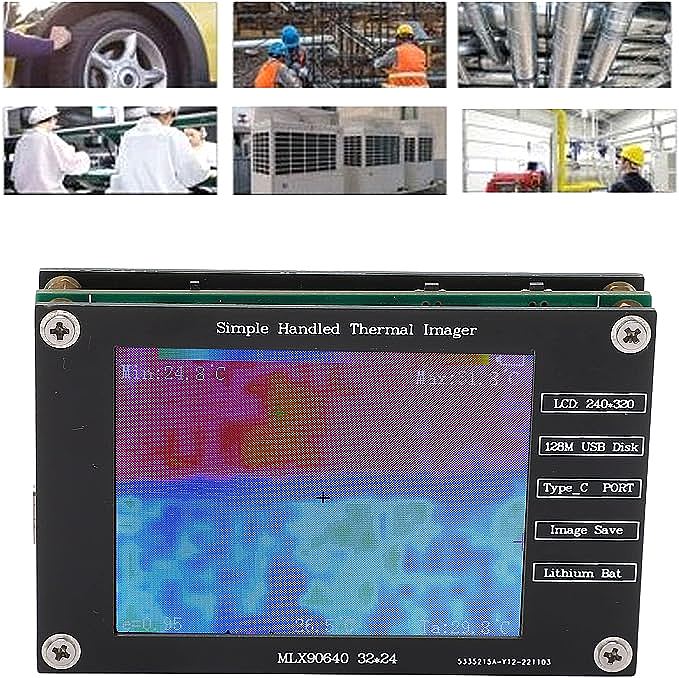
- Sensor Resolution (The Actual Image): This is the real “camera.” It’s the tiny infrared sensor chip inside that does the work. For the Luqeeg, the product data specifies this is the MLX90640ESF-BAB sensor, which has a Hardware Resolution of 32x24.
Let’s do the math. * Screen Pixels: 320 x 240 = 76,800 pixels (This is what they advertise in the title) * Sensor Pixels: 32 x 24 = 768 pixels (This is the real thermal image)
This means the camera is capturing only 768 points of heat data and then “stretching” or “upscaling” that blocky image to fit on its nice 76,800-pixel screen.
The “Mentor’s Analogy”:
Imagine you found an old, grainy home video from 1985 (the 32x24 sensor). Now, you play that video on a brand new 4K television (the 320x240 screen). Does the TV make the video sharp? No. You’re just seeing a very blurry, blocky image on a very clear screen.
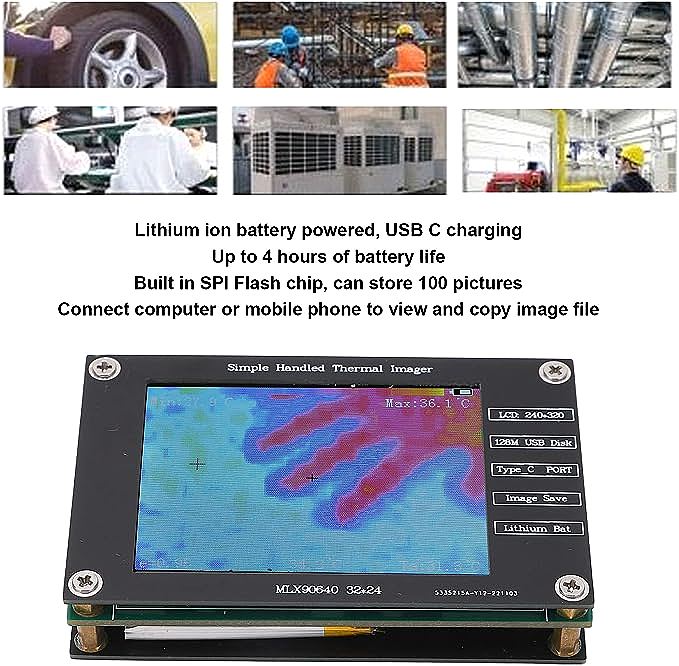
What does a 32x24 image really look like?
It’s a coarse mosaic. It is absolutely fantastic for seeing large patterns:
* “This entire window frame is colder than the wall.”
* “My computer’s power supply is the hottest thing in the room.”
* “There is a large cold draft coming from under the door.”
It is not for seeing fine details. You will not be able to see a single overheating resistor on a circuit board or a small, subtle moisture spot.
Lesson 2: The “Choppy” Video (8Hz Refresh Rate)
The next specification you’ll see is “Rate: 8Hz”. This is the “refresh rate,” or how many times the image updates per second.
- Your smartphone video is typically 30Hz or 60Hz (30-60 frames per second), which looks smooth.
- A movie in a theater is 24Hz.
8Hz means the image updates only 8 times per second. This will look “choppy” or “laggy,” like a flipbook animation or a low-frame-rate security camera.
This is not a defect! It’s standard for entry-level sensors. For viewing static scenes like a wall or a breaker box, it’s perfectly fine. But if you pan the camera around quickly, the image will blur and stutter.
Lesson 3: The “Shiny Object” Problem (Fixed 0.95 Emissivity)
This is the last key lesson. The Luqeeg data states its “Emissivity: 0.95”.
Emissivity is a number from 0 to 1 that describes how well a surface radiates heat. * High Emissivity (~0.95): Matte, non-reflective surfaces like drywall, wood, rubber, and human skin. They are excellent radiators, and the camera can read them accurately. * Low Emissivity (~0.1): Shiny, reflective surfaces like polished steel, aluminum, or mirrors. They are terrible radiators and act like thermal mirrors.
A fixed setting of 0.95 means the camera assumes it’s always looking at a high-emissivity surface.
What this means for you: * It CAN measure: Your walls, your wooden desk, your skin, your tires, your painted engine block. * It CANNOT accurately measure: A shiny stainless steel pot, a bare aluminum pipe, or a chrome faucet. When you point it at a shiny object, you are not measuring the object’s heat; you are measuring a reflection of the heat from other things in the room (like your own body).
The Verdict: It’s Not a Bad Tool, It’s a Misunderstood One
So, is this camera a “scam”? No. It’s a “Thermal Pattern Detector.”
The 320x240 title is deeply misleading. But for $60, a tool that has a real (if low-resolution) 32x24 sensor, a 4-hour battery, and can store 100 pictures is still an incredible entry point into the world of thermal imaging.
You just have to respect its limitations. The Luqeeg Handheld Thermal Camera is the perfect tool for a homeowner who wants to answer big questions: * Where are the major drafts in my home? * Is my floor heating working? * Which of these pipes is the hot one?
It is not a tool for a professional electrician diagnosing a complex circuit board. By understanding its true specs (32x24 sensor, 8Hz rate, 0.95 emissivity), you can manage your expectations and use this tool effectively for exactly what it was designed for: revealing the big, invisible patterns of heat all around us.